Get your SELMA data into R in minutes. Build student reports, track enrolments, and generate EFTS funding breakdowns — all from clean, analysis-ready tibbles.
selmaR is an R client for the SELMA student management system API, built for analysts at New Zealand PTEs and TEOs who want to turn their student data into insights.
Why selmaR?
- Student reports in 5 lines of R — connect, fetch, join, filter, done
- EFTS funding breakdowns by month — one function call, ready for TEC planning
- Ask Claude about your enrolments in natural language — via the built-in MCP server
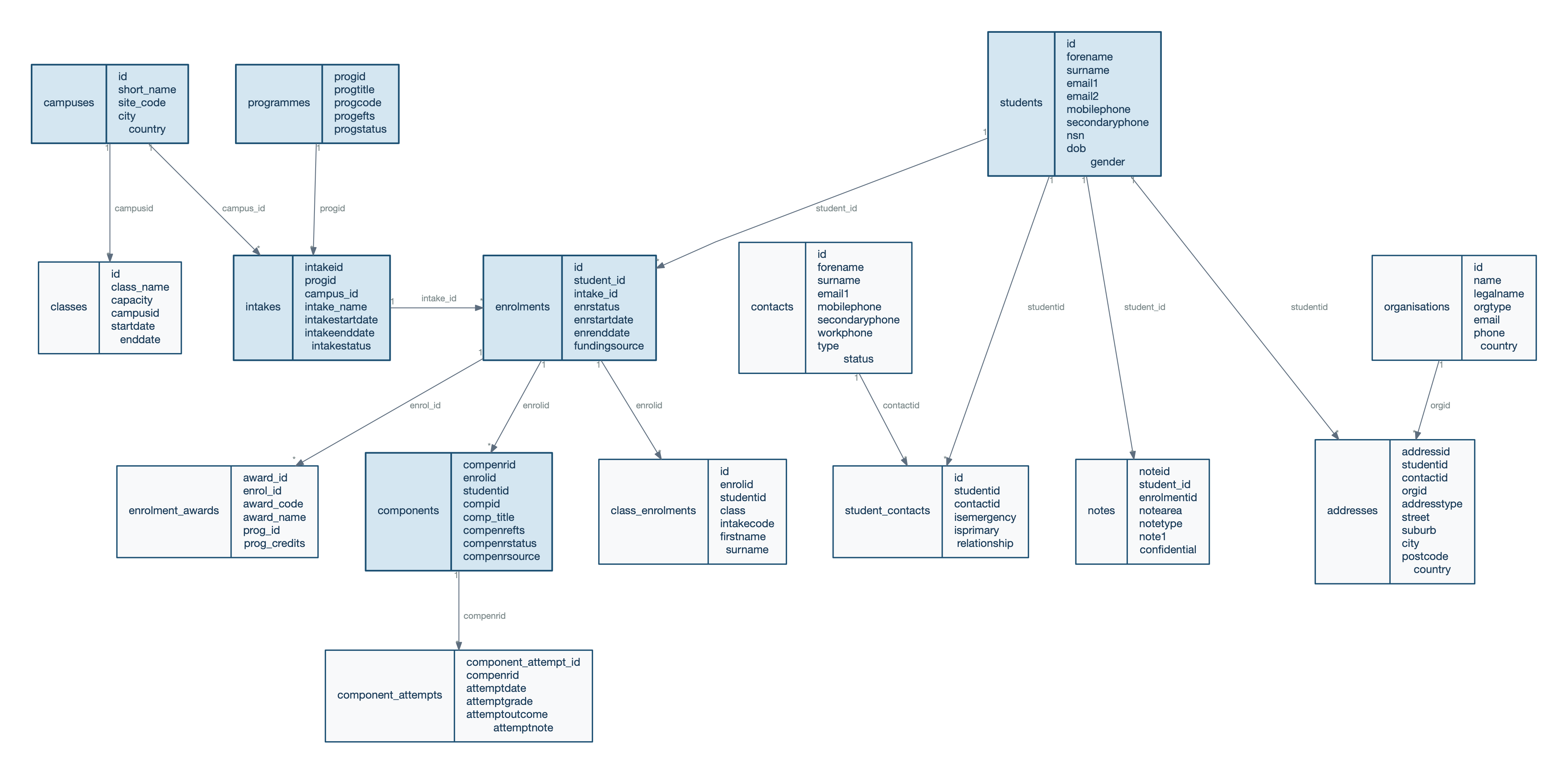
- 30+ SELMA endpoints, zero pagination headaches — Hydra JSON-LD handled for you
Quick Start
# Install from GitHub
# install.packages("pak")
pak::pak("pcstrategyandopsco/selmaR")
library(selmaR)
library(dplyr)

# Connect once — all functions use it automatically
selma_connect()

# Fetch your data
students   <- selma_students()
enrolments <- selma_enrolments()
intakes    <- selma_intakes()
components <- selma_components()
That’s it. Connect once and every function knows your session. Clean tibbles with snake_case column names and character IDs ready for joining.
What Can You Build?
Active funded enrolments
pipeline <- selma_student_pipeline(enrolments, students, intakes)

active_funded <- pipeline |>
  filter(enrstatus %in% SELMA_FUNDED_STATUSES)
EFTS funding report
report <- selma_efts_report(components, year = 2025)Returns EFTS pro-rated across calendar months by funding source — ready for dashboards or TEC planning.
Ask Claude about your data
Point the selmaR MCP server at your SELMA instance and ask questions in plain English:
You: How many students are currently enrolled per programme?
Claude: fetches enrolments, joins to intakes and programmes, filters for funded statuses, and returns a summary table
See MCP Server below to set it up.
MCP Server — Ask Claude About Your Data
The selmaR MCP server lets Claude read your SELMA data through the Model Context Protocol. Ask questions in plain English and get answers backed by live API data.
Setup
Add the server to your Claude Code settings (~/.claude/settings.json or project .claude/settings.json):
{
  "mcpServers": {
    "selmaR": {
      "command": "Rscript",
      "args": ["/path/to/selmaR/inst/mcp/server.R"],
      "cwd": "/path/to/directory/containing/config.yml"
    }
  }
}
Then ask Claude anything about your student data — enrolment counts, programme breakdowns, intake fill rates, EFTS summaries.
PII protection
Student data is sensitive. The MCP server has 7 defence layers including input allowlisting, configurable field policies, output scanning, and pseudonymised IDs. All data stays local — nothing is sent to external services beyond the Claude API. See MCP Server Design & Security for the full architecture.
Explore the Guides
Start here
- Getting Started — Connect to SELMA, fetch your first dataset, and build a student pipeline — end to end in 10 minutes.
Use cases
- EFTS Pro-Rata Reporting — Generate monthly EFTS breakdowns by funding source for TEC planning and internal dashboards.
- Phone Number Normalisation — Standardise NZ and AU phone numbers so you can match SELMA students to external systems.
MCP Server — ask Claude about your data
New to MCP? Start with MCP Examples — see what happens when you point Claude at your SELMA instance and ask questions in plain English. Then read MCP Server Design & Security to understand the 7 defence layers that protect student PII.
Reference
- Limitations & Notes — EFTS accuracy caveats, API rate limits, and known quirks worth knowing before you go to production.
Configuration
Create a config.yml in your project root (add it to .gitignore):
default:
  selma:
    base_url: "https://myorg.selma.co.nz/"
    email: "api@selma.co.nz"
    password: "your_password"
Also supports environment variables (SELMA_BASE_URL, SELMA_EMAIL, SELMA_PASSWORD) and direct arguments. See ?selma_connect for details.